


Description
Payment & Security

Your payment information is processed securely. We do not store credit card details nor have access to your credit card information.
Great Prices Everyday
Australian Family Owned
Need help?



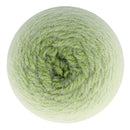
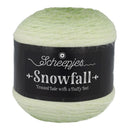
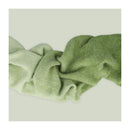
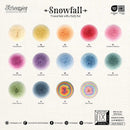
Scheepjes Snowfall Yarn in Snowy Spruce blends soft frost green tones into rich spruce green hues, creating a seamless gradient that adds beautiful colour movement to knitting and crochet projects. The gradual transition unfolds naturally as you stitch, producing a fresh ombré effect inspired by snow-covered pine forests and the calming beauty of winter landscapes.
Crafted with an innovative three-strand construction, Snowfall combines airy acrylic fibres with durable nylon to create a lightweight yarn with a delicate brushed halo. The Aran weight structure provides excellent coverage and softness, making Snowy Spruce ideal for jumpers, cardigans, scarves, shawls, blankets and home décor projects where elegant colour transitions and cosy texture enhance every detail.
Key Features:
80% Acrylic, 20% Nylon for softness, warmth and durability
Aran weight yarn suitable for knitting and crochet
400m per 200g yarn cake for versatile project planning
Seamless gradient colour transitions from frost green to spruce green
Soft brushed halo finish for added texture and dimension
Unique three-strand construction for a lightweight, airy feel
Recommended Needle Size: 4.5-5.5mm
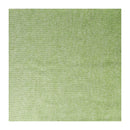
Gauge: 16 stitches x 24 rows = 10 x 10cm using 4.5mm needles in stocking stitch
Care: Gentle hand wash recommended
Create beautifully blended garments and accessories with the refreshing woodland-inspired shades of Scheepjes Snowfall Yarn in Snowy Spruce. Its luxurious texture, soft halo finish and graceful colour transitions make it a perfect choice for timeless projects that capture the natural beauty of the winter season.
Supplied as one 200g yarn cake.
Please note: Colours may vary slightly due to screen settings and dye lot differences.
Your payment information is processed securely. We do not store credit card details nor have access to your credit card information.

You have copied the placement for the Product Page.
Go back to the App Embeds section, and in the Paypal Advanced Settings, paste the copied value into the Product Page field and click the 'Save' button in the top right corner.