


Description
Payment & Security

Your payment information is processed securely. We do not store credit card details nor have access to your credit card information.
Great Prices Everyday
Australian Family Owned
Need help?



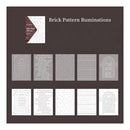
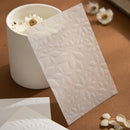
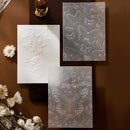
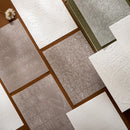
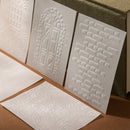
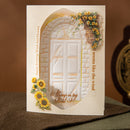
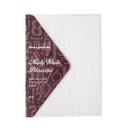
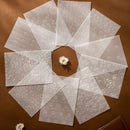
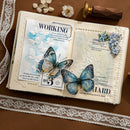
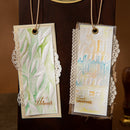
Add architectural texture and dimensional detail to your paper crafting projects with the Poppy Craft Scrap Paper Set - Brick Pattern Ruminations from the Misty White Blossom Collection. Featuring embossed-style brickwork, stone textures, window arches, and decorative doorway patterns across sulfuric paper and white kraft paper, this distinctive collection brings depth and structure to scrapbooking, journalling, collage art, card making, planners, and mixed media creations. The elegant monochromatic palette offers a clean, artistic finish suited to contemporary, vintage, and industrial-inspired crafting themes.
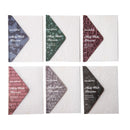
Designed for creative layering and decorative composition, this set includes 5 coordinated architectural designs across 10 sheets, ideal for backgrounds, textured accents, handmade stationery, and dimensional paper art. The compact sheet size allows easy trimming, layering, and detailed embellishment work while maintaining crisp embossed-style texture throughout every project.
Key Features:
Misty White Blossom Collection design
Includes 5 architectural and brick-inspired patterns
Contains 10 sheets in sulfuric paper and white kraft paper
Embossed-style textures for layered paper crafting
Ideal for scrapbooking, journalling, collage, and card making
Suitable for planners, mixed media, and decorative layering
Sheet size: 8cm x 11cm
Package size: 9.4cm x 14.3cm x 0.4cm
Lightweight sheets for precise cutting and placement
Perfect for crafters seeking textured architectural elements and sophisticated layered effects, this premium scrap paper set adds artistic structure and decorative depth to journals, scrapbook layouts, handmade cards, and creative mixed media projects.
Your payment information is processed securely. We do not store credit card details nor have access to your credit card information.

You have copied the placement for the Product Page.
Go back to the App Embeds section, and in the Paypal Advanced Settings, paste the copied value into the Product Page field and click the 'Save' button in the top right corner.