





Description
Payment & Security

Your payment information is processed securely. We do not store credit card details nor have access to your credit card information.
Great Prices Everyday
Australian Family Owned
Need help?



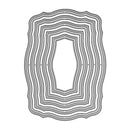
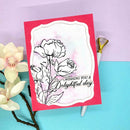
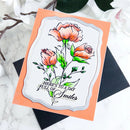
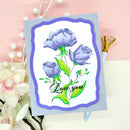
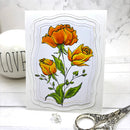
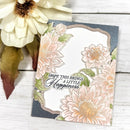
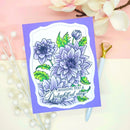
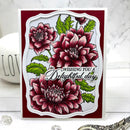
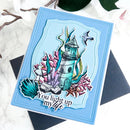
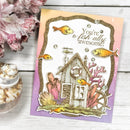
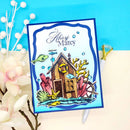
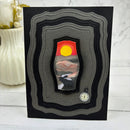
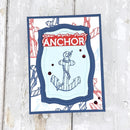
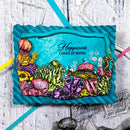
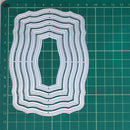
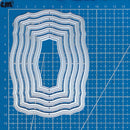
Create elegant layered card fronts and dimensional papercraft designs with Poppy Crafts Cutting Dies #1516 - Nested Contours. Measuring approximately 9.1 x 12.3 cm, this versatile nesting die set features softly curved contour frames that add flowing dimension and decorative detail to handmade cards, scrapbook layouts, journalling and mixed media projects. The organic curved shape creates a refined and modern finish ideal for floral, vintage and contemporary paper craft themes.
Crafted from precision steel for crisp and accurate cutting results, these detailed nesting dies work beautifully with cardstock, patterned paper, vellum and specialty papers. Perfect for layered panels, decorative backgrounds, sentiment frames and dimensional card fronts, this die set is compatible with most leading die-cutting machines (Sold Separately), making it an essential addition to any creative papercraft collection.
Key Features:
Nesting contour frame dies with elegant curved detailing
Approximate size: 9.1 x 12.3 cm
Ideal for cardmaking, scrapbooking, journalling and mixed media crafts
Perfect for layered panels, decorative borders and sentiment frames
Creates dimensional and professional-looking paper craft designs
Precision steel construction for clean and detailed cuts
Compatible with cardstock, vellum, patterned paper and specialty papers
Works with most leading die-cutting machines (Sold Separately)
Add flowing layered detail and elegant dimension to your handmade cards and papercraft projects with this versatile Poppy Crafts die set, designed for beautifully finished creative designs.
Your payment information is processed securely. We do not store credit card details nor have access to your credit card information.

You have copied the placement for the Product Page.
Go back to the App Embeds section, and in the Paypal Advanced Settings, paste the copied value into the Product Page field and click the 'Save' button in the top right corner.