


Description
Payment & Security

Your payment information is processed securely. We do not store credit card details nor have access to your credit card information.
Great Prices Everyday
Australian Family Owned
Need help?



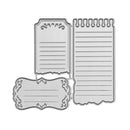
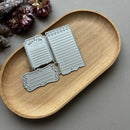
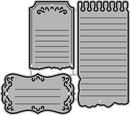
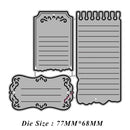
Create elegant journalling cards, labels and decorative note elements with Poppy Crafts Cutting Dies #1529 - Decorative Journal. Measuring approximately 7.7 x 6.8 cm, this versatile die set includes three different label and memo-style designs featuring lined writing spaces, ornamental corner accents, scalloped edges and notebook-inspired top binding details. Perfect for junk journals, scrapbooking, planners, tags and layered papercraft projects.
Made from durable precision steel, these cutting dies produce crisp and detailed cuts on cardstock, patterned paper, vellum and other craft materials. The assorted decorative label styles are ideal for creating journalling spots, mini notes, captions, planner inserts and vintage-inspired embellishments. Compatible with most leading die-cutting machines (Sold Separately), this set is a practical addition to creative papercraft collections.
Key Features:
Decorative journal label cutting dies
Approximate size: 7.7 x 6.8 cm
Includes three assorted memo and label designs
Features lined details, ornamental accents and scalloped edges
Notebook-inspired and vintage journalling styles
Ideal for junk journals, planners, scrapbooking and cardmaking
Suitable for cardstock, patterned paper and mixed media projects
Precision steel construction for detailed cutting results
Compatible with most leading die-cutting machines (Sold Separately)
Add decorative journalling details and layered stationery-inspired accents to handmade papercraft projects with this versatile Poppy Crafts die set.
Your payment information is processed securely. We do not store credit card details nor have access to your credit card information.

You have copied the placement for the Product Page.
Go back to the App Embeds section, and in the Paypal Advanced Settings, paste the copied value into the Product Page field and click the 'Save' button in the top right corner.