


Description
Payment & Security

Your payment information is processed securely. We do not store credit card details nor have access to your credit card information.
Great Prices Everyday
Australian Family Owned
Need help?



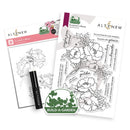
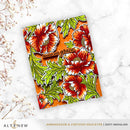
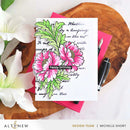
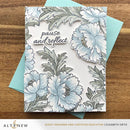
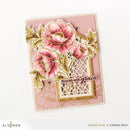
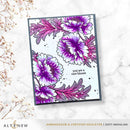
Create elegant floral statements with the Altenew Build-A-Garden: Scripted in Bloom. This refined floral crafting set features two beautifully illustrated flower clusters with flowing foliage, designed to bring softness, movement, and timeless charm to handmade cards, scrapbooking layouts, journals, and mixed media projects.
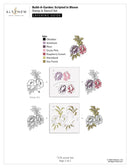
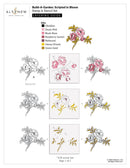
Layer colour effortlessly using the coordinating 4-in-1 stencil set, complete with etched alignment guides for precise ink blending and professional results.
This versatile set is ideal for encouragement cards, thoughtful keepsakes, and everyday paper crafts, offering graceful florals paired with heartfelt, modern sentiments that elevate every project.
Each set includes:
One 10.16 cm × 15.24 cm (4" × 6") stamp set with 16 premium photopolymer stamps
One 11.43 cm × 15.24 cm (4.5" × 6") layering stencil set with 4 coordinating stencils
One Mini Ink Blending Brush for smooth, controlled ink application
Sentiments:
you are a rare bloom, you carry beauty wherever you go, let your heart be your compass, flourish with grace, pause and reflect, engraved with love, stay golden, thinking of you, you were made to flourish, take a deep breathe, may your days blossom gently, in quiet moments, truth speaks, your presence is a perennial joy, you bloom in your own time, it is always worth the wait
Perfect Pairings (Sold Separately):
Book Cover Engravings Embossing Folder, Decorative Swirls Die Set, Elegant Swirls Stencil
Bring refined florals and meaningful sentiment to your creative projects with Scripted in Bloom, a beautifully balanced Build-A-Garden set designed for effortless elegance and lasting impact.
Your payment information is processed securely. We do not store credit card details nor have access to your credit card information.

You have copied the placement for the Product Page.
Go back to the App Embeds section, and in the Paypal Advanced Settings, paste the copied value into the Product Page field and click the 'Save' button in the top right corner.